From a Story Brief to an 89-Second Short Film: A Reviewable AI Video Workflow
A documented EaseReel Story & Film production: how a short western outline became an 89-second cut through screenplay, references, storyboard review and a finished edit.
An AI video demo usually shows the prompt and the final frame. That skips the part where a creator finds out whether the film still contains the story they meant to tell.
This case study follows one EaseReel Story & Film project from brief to final cut. The result is an 89-second western scene in eight shots, with voiced dialogue and burned-in subtitles. The characters and production are fictional product examples, not a customer testimonial.
What the brief had to decide
The starting idea was specific enough to check: Green Snake runs a western inn, wearing sunglasses with a pipe between his teeth. Animal warriors fill the room. A scarred bear enters and demands the Spirit Amber. The ending should leave the threat unresolved.
That brief sets four things a short film cannot leave to chance:
- The cast: Green Snake, Bear and the people in the room.
- The place: a western saloon that can carry through the confrontation.
- The turn: Bear's demand changes the room's balance.
- The stopping point: a second door opening, followed by an unresolved threat.
1. Check the screenplay before rendering
Story & Film first develops the outline into a screenplay. The author can inspect the cast, location, scene text and dialogue before committing to video generation.
In this example, the screenplay kept these beats in order:
- Green Snake polishes a glass while the room watches the doorway.
- Bear arrives and demands the Spirit Amber.
- Green Snake answers with a story, then admits that it is a lie.
- A hidden derringer appears. The film ends after the door opens a second time.
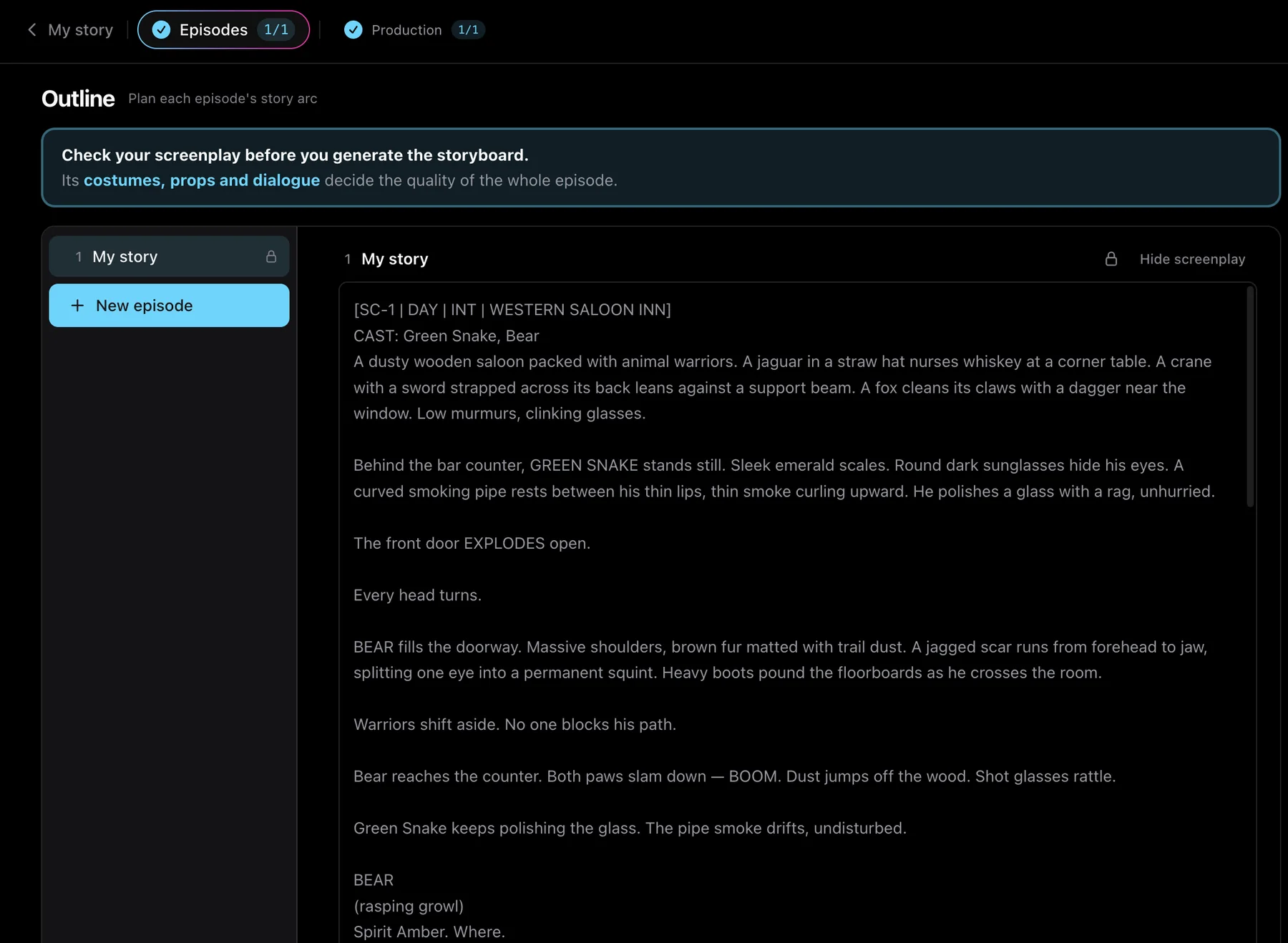
This is the first useful review point. A screenplay can look polished and still change the order of events or soften the ending. Finding that problem here is easier than finding it after the shots have been rendered.
2. Give recurring details a reference
The project uses separate references for the character, location and prop. They give later shots a shared visual starting point:
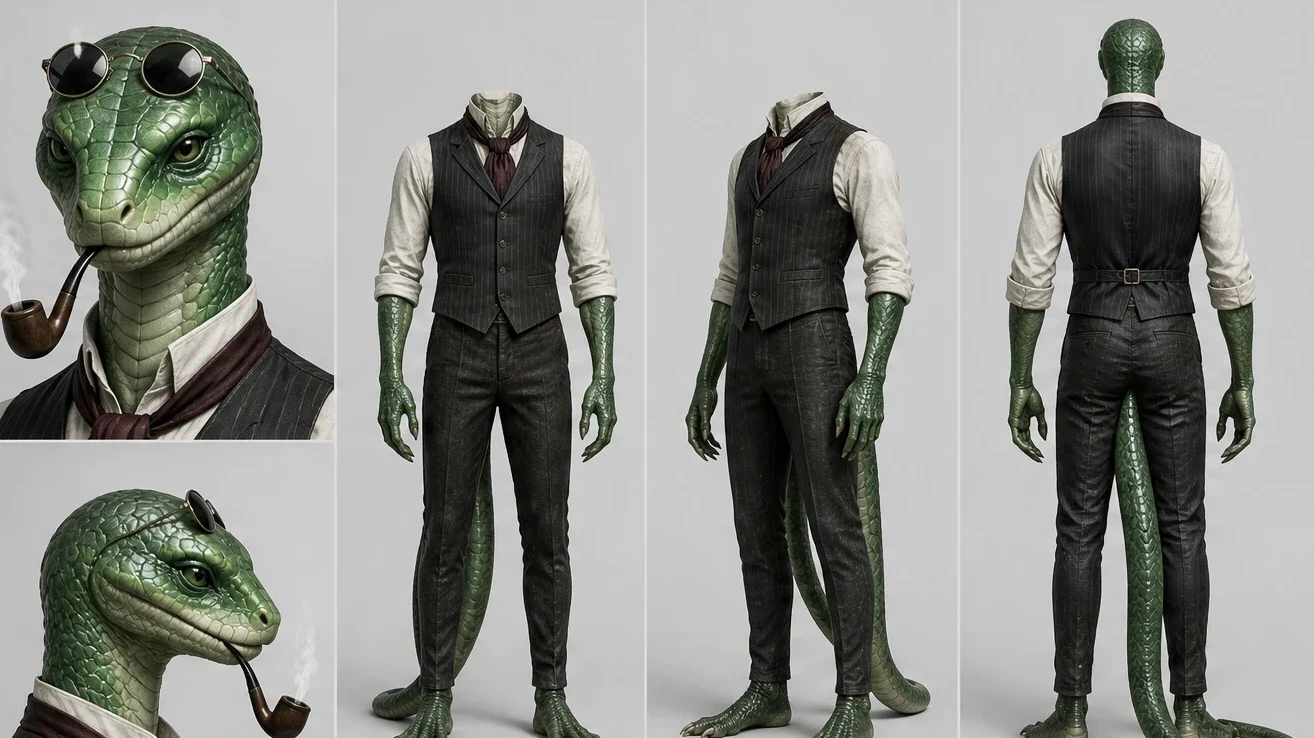
- Green Snake's character design establishes the sunglasses, pipe and clothing.
- The saloon reference gives the confrontation a consistent setting.
- The derringer reference makes the final reveal a defined prop rather than a new detail invented at the end.
3. Read the storyboard as an edit plan
The storyboard puts shot text beside a rendered frame. That makes a continuity or staging problem visible before the final cut is assembled.
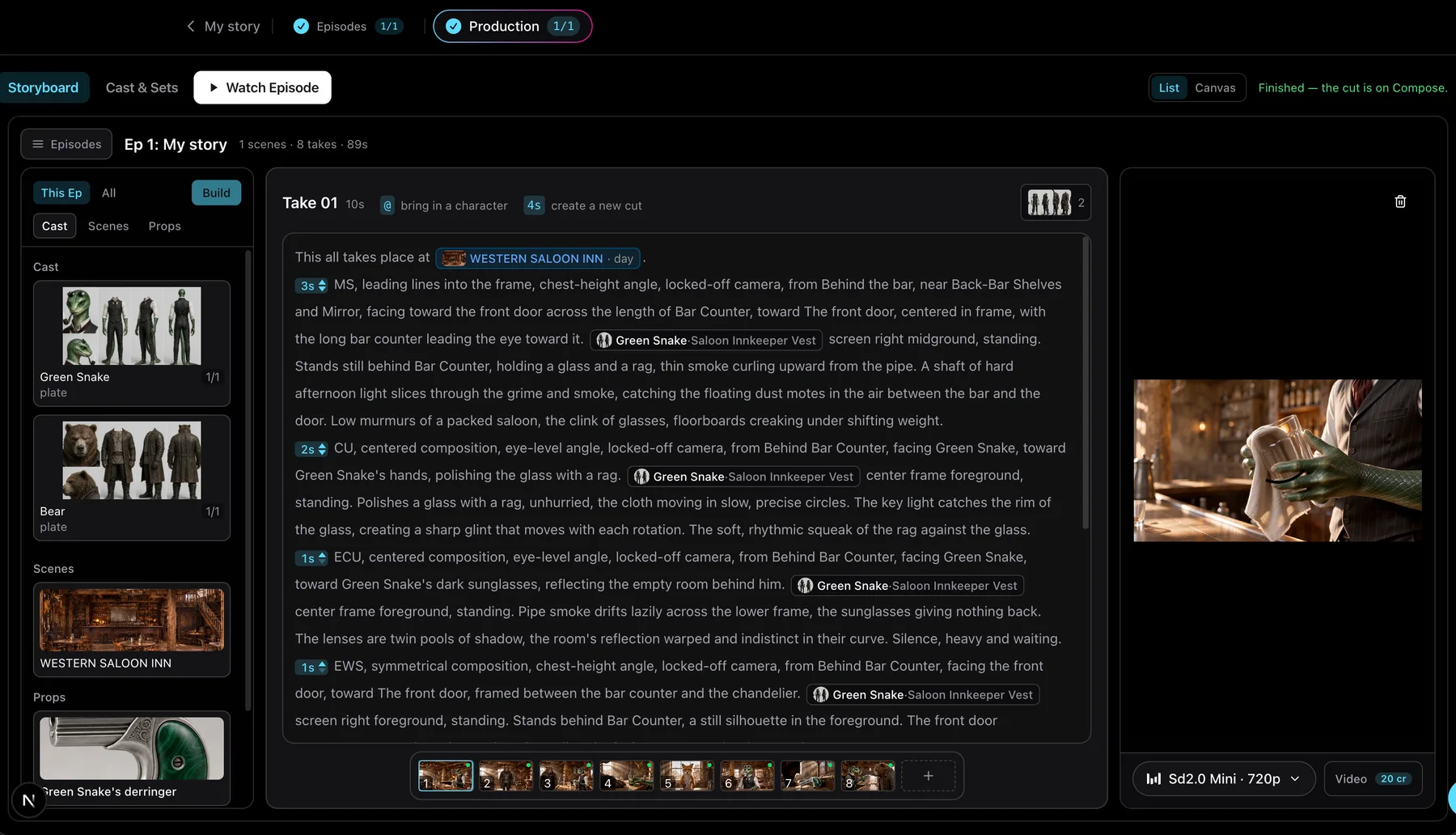
For this film, the review questions are simple and specific:
- Does each shot begin where the previous shot leaves the action?
- Is the important object visible when the story needs it?
- Can a viewer tell who is speaking and what has changed?
- Does the final shot preserve the unresolved ending from the brief?
4. Judge the assembled cut
The completed example is eight shots and 89 seconds. It includes generated scenes, voiced dialogue and burned-in subtitles. The final beat cuts to an empty saloon after the door opens a second time.
Watch the full example on the AI story video generator page, then compare the cut with the brief. Check the things a still frame cannot answer: pronunciation, subtitle timing, pacing, sound, the order of the reveal and whether the ending reads clearly without extra explanation.
What this workflow shows
This project shows a practical review path for one self-contained story:
- State the characters, ordered events and ending.
- Inspect the screenplay before rendering.
- Add references for details that need to recur.
- Review shot text and frames in the storyboard.
- Watch the assembled cut and compare it with the brief.
If you want to try the same process, start with an ending you can recognize in one shot. Then make the screenplay and storyboard earn that ending before you spend time reviewing the final cut.