AI drama tools

AI drama tools for your next story

Choose what to make: an episode script, a season outline or a character plate. All three use Drama Studio, with editable scripts, shared references and shot controls.

Open Drama Studio

Choose a starting path in the studio. Sign in to save work; planning and production use credits.

Which one

Three entry points, one production pipeline

You get

An episode script

Scene headers, action beats, dialogue with delivery notes, inner monologue and flashbacks — in the format the storyboard stage reads directly.

Best when
You want the writing first and haven't decided whether to shoot it
Cost
No sign-up. Free preview.
AI drama script generator →

You get

A whole season

One outline pass covers the entire run — every episode with its own hook and cliffhanger, and the paywall placed — then episodes are produced one at a time.

Best when
You are building an audience that comes back for episode two
Cost
No sign-up. Free preview. Video generation from 1 credit per second
AI web series generator →

You get

A five-view character sheet

Upload one face photo, describe the outfit and makeup, and get a production-style sheet with two large face close-ups and three full-body views.

Best when
You want the same face and wardrobe held steady across episodes
Cost
No sign-up. Free preview.
AI drama character sheet generator →

Inside the studio

What a season carries forward

Production references and location plates from real series made with EaseReel — not frames from finished episodes. The point is the material a season keeps, not a finished look to copy.
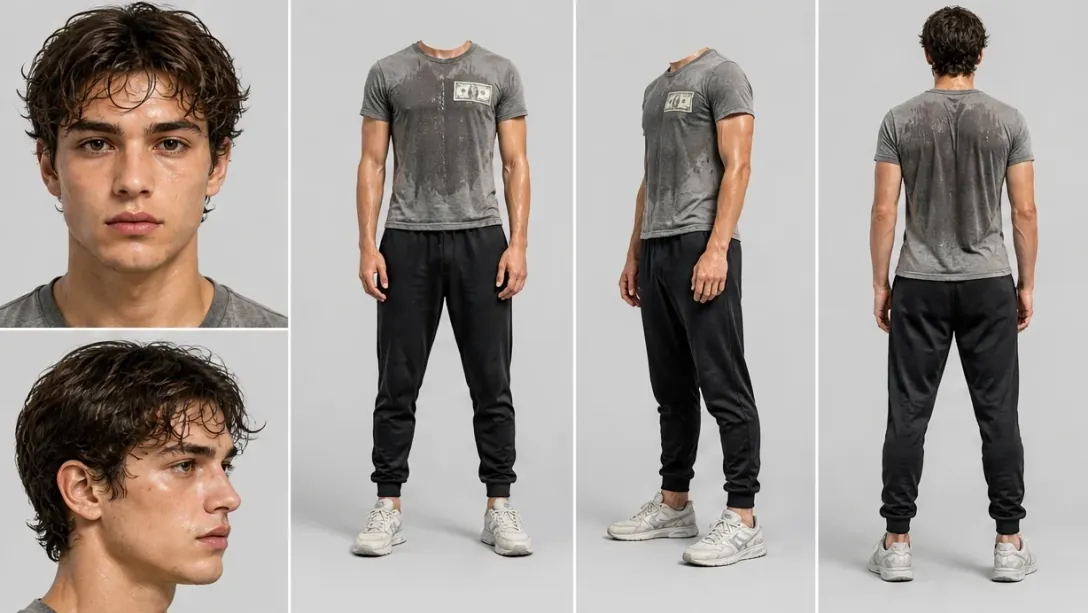
Bennett Clay's identity sheet, showing his face and outfit from multiple angles

Identity sheet

One face, one outfit, three sides — the look is fixed before a shot is written.
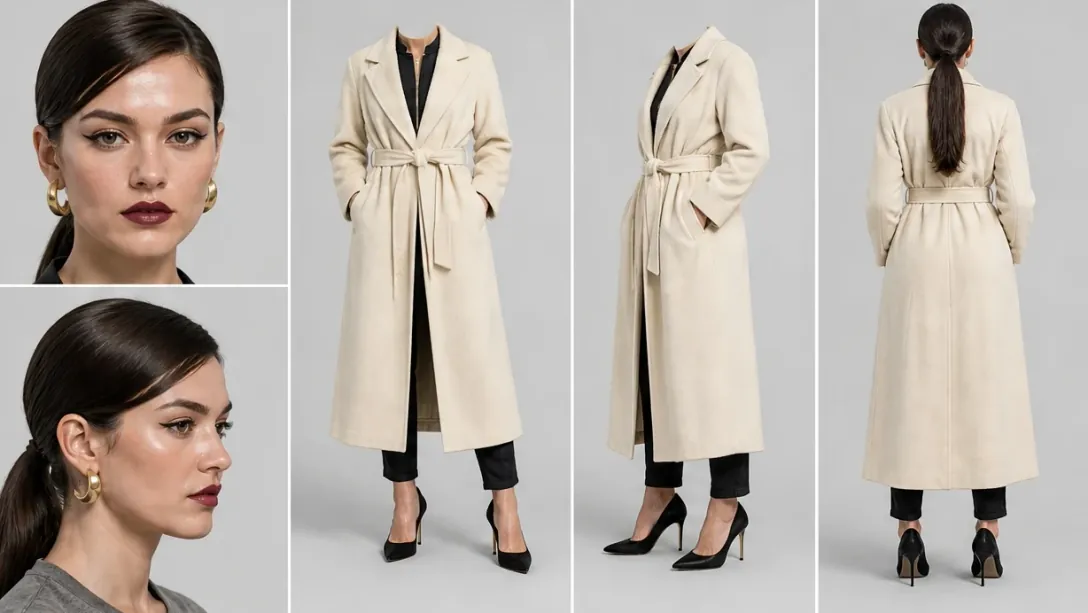
Tamsin Duarte's identity sheet, showing her face and outfit from multiple angles

Identity sheet

A second cast member held to a separate reference, so the two do not drift together.
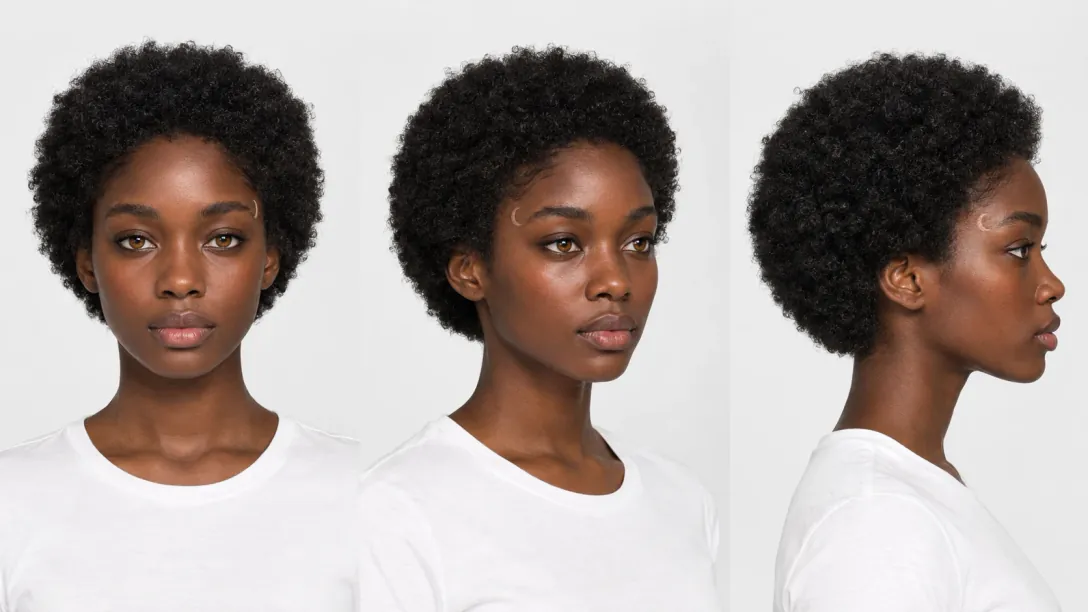
A three-angle head study of one character, used to keep the face consistent between scenes

Head study

Three angles of one face, kept for the scenes where the outfit changes.
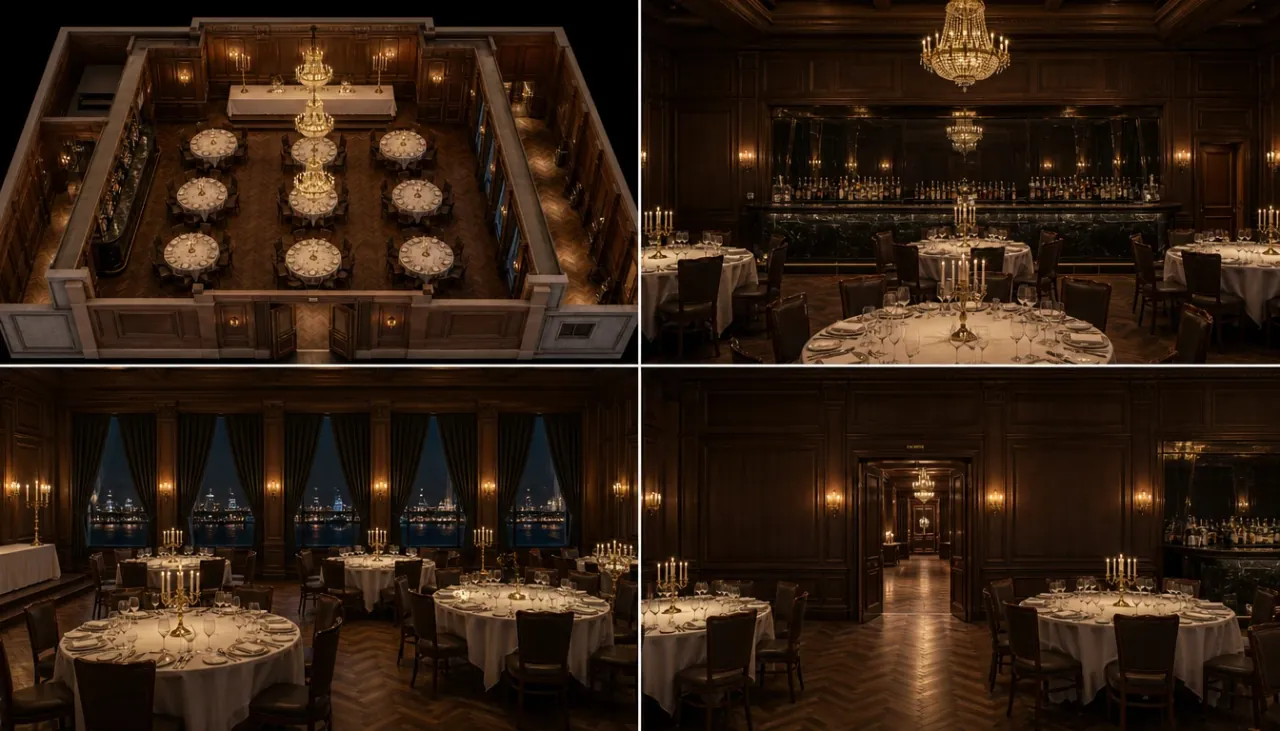
A location plate showing one banquet hall from four views

Location plate

A banquet hall from four views — the room does not get rebuilt every episode.
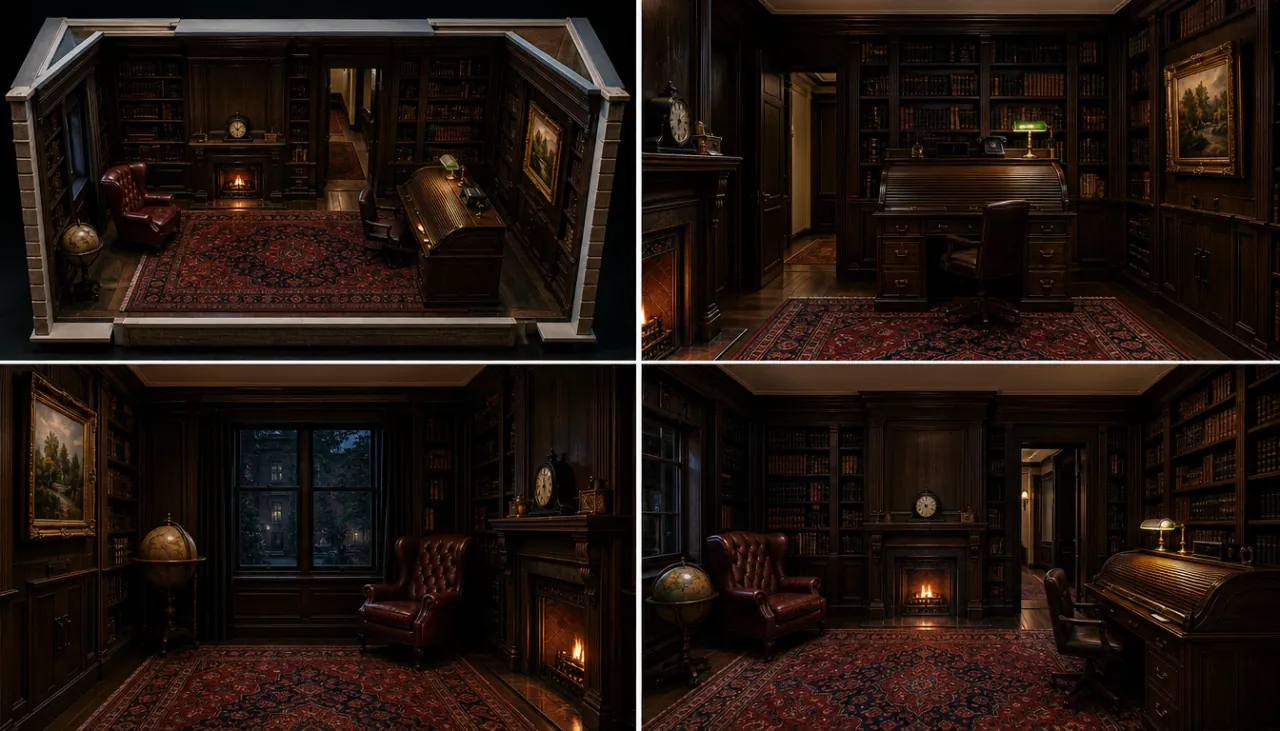
A location plate showing one study from four views

Location plate

One study, four angles, reused across the season.
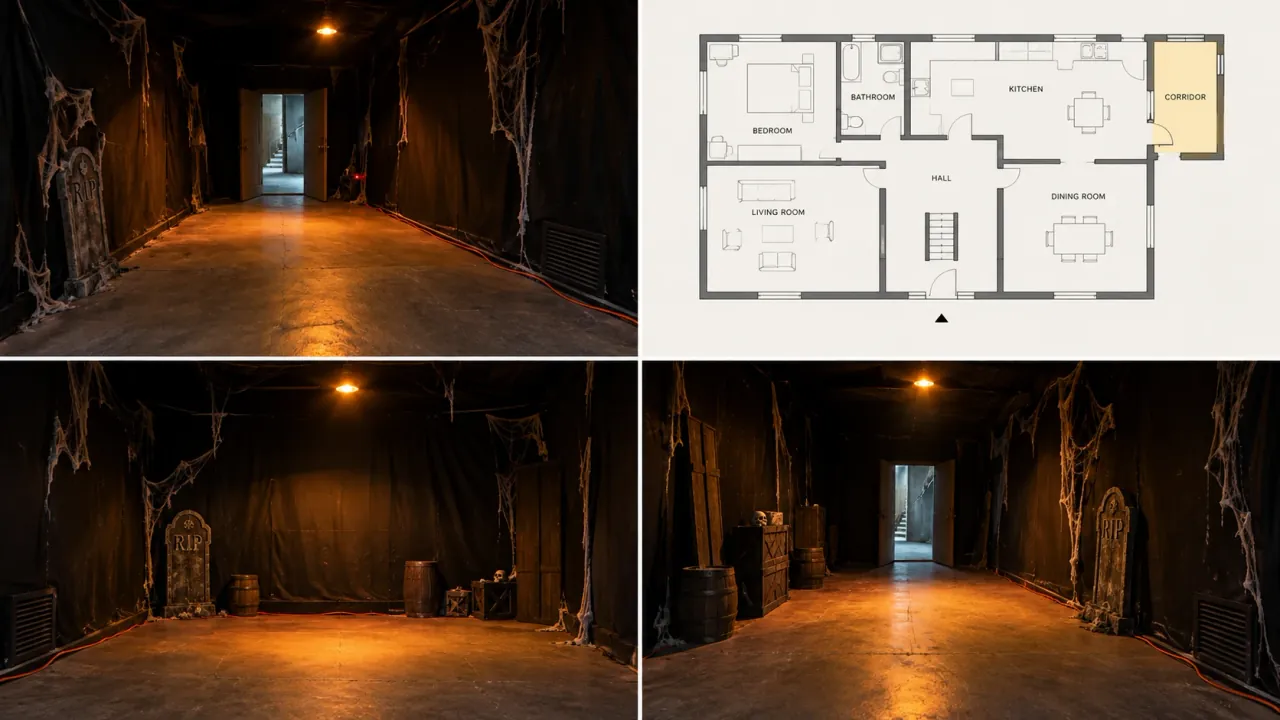
A location plate showing a haunted corridor with a floor plan

Location plate

A corridor plus its floor plan, so blocking survives a change of camera.

AI drama tools questions

Which AI drama tool should I start with?

Use the script page to inspect the screenplay format, the web series page to see season planning, or the character page to build a five-view plate from one face photo. All three offer a free preview with no sign-up, then open Drama Studio, where you choose an original idea, script import or blank canvas.

Are these separate products?

No. These pages explain different uses of the same Drama Studio workspace. Arriving from a particular page does not automatically select a production mode; you choose your starting path in the studio.

Do the tools keep my characters consistent?

Identity sheets, wardrobe references and voice assignments guide recurring characters. Review keyframes and generated shots for differences; reference reuse does not guarantee identical results.

What does it cost to go from a script to a finished episode?

Video generation starts at 1 credit per second. Resolution, generated duration and additional takes affect the total. Planning and visual assets also use credits. Review estimates in the project before generation.

Can I switch tools halfway?

Yes. A script you generated can become part of a season plan in the same workspace. Nothing is exported or re-imported.

Choose how to start your drama

Start with an original idea, bring an existing script, or build your own scenes on a blank canvas.

Open Drama Studio